








It's easier than ever to manage your WCB claims and account
With myWCB, you have access to both the myWCB employer mobile app and myWCB employer portal to help you manage your claims and account. You can use both tools or the one that works best for your business needs.
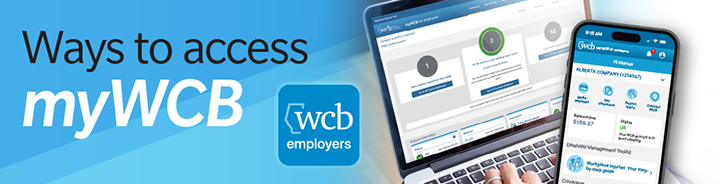
myWCB employer mobile app: Convenient for those on the go who may need to get a clearance or make a payment while out in the field.
Key features:
- Request clearance letters.
- Update account details and payment schedules.
- Check account balance and make payments.
- Report injuries on the go.
- Receive notifications for reported injuries.
- Create return-to-work offer letters.


myWCB employer portal: Provides more comprehensive claim and return-to-work support for those who manage larger active claim volumes.
Key features:
- Get comprehensive claim and account management support.
- Access interactive dashboards for insights.
- Use the premium simulator tool.
- Compare performance with industry benchmarks.
- Create return-to-work offer letters.
Whether you use the mobile app or the portal, you can send us a message or request a call for assistance.
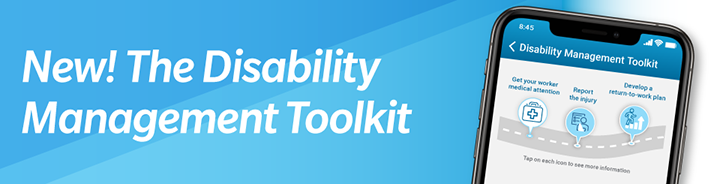
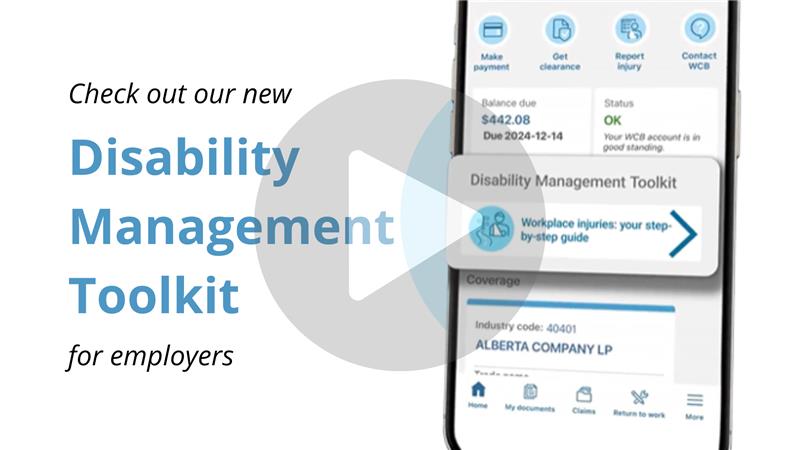
Designed to simplify injury management, the Disability Management Toolkit helps employers take the right steps to support their injured workers, ensure proper care and promote safe recovery. The toolkit is available through the employer mobile app, myWCB employer portal, and here on the WCB website.
The toolkit includes these short videos with clear steps to help you effectively manage workplace injuries:
- Support your injured worker and ensure they get proper medical care.
- Know when and how to report injuries.
- Keep your workers engaged during recovery and develop a return-to-work plan.
Direct links to the services you may need in myWCB:
Get a clearance letter
Request and receive clearance letters when you need them. Clearance letters state whether a WCB account is in good standing.Get coverage
If you employ workers in Alberta or would like personal coverage as an owner, partner or director, you can sign up for a WCB account online. Fill out the WCB account registration form and you will receive a confirmation number for your records. We'll follow up with you within three to five business days to notify you of your account status.
Pay your premiums
You can pay your premiums by
Visa, Visa debit, or Mastercard.
Obtain industry statistics
View reports on assessable earnings by industry.
File your annual return
Each year you must report your workers' assessable earnings paid in the current year along with an estimate of the earnings you expect to pay in the upcoming year. To find out more about filing your annual return, visit our annual returns page.
Availability
myWCB is available 24 hours a day, seven days a week, except during short outages for maintenance. View our
maintenance schedule for myWCB
.
For system requirements visit our help page.

